GUIDES / 使い方ガイド — TRACK 03: STICKERS
MAKE YOUR FIRST STICKER.
By the end of this guide you'll have a finished comic sticker — one expressive moment with your cast, saved in your private gallery and ready to share.
- 5 STEPS
- COST: 1 CREDIT
- LEVEL: FIRST RELEASE
- READ IN 3 MIN
BEFORE YOU PRESS RECORD / 準備
WHAT YOU'LL NEED.
A free MoodToonz account — sign up with your email in a minute, no card needed.
1 credit per sticker — the 10 starter credits on a new account have this one covered.
One expressive moment — a reaction, a gag, an inside joke.
Optional: your cast — add yourself, friends, or family from your avatar gallery so they can star in the sticker.
THE WALKTHROUGH / 手順
FIVE STEPS. ONE STICKER.
#sign-inTRACK 01 / 01曲目
OPEN YOUR WORKSPACE.
Sign in at moodtoonz.com/login. New here? Create a free account with your email — no card needed — and you'll land in the Workspace with 10 starter credits waiting.
MOODTOONZ.COM/LOGIN → WORKSPACE
#pick-a-feelingTRACK 02 / 02曲目
PICK YOUR FEELING.
Choose the mood of the moment from 37 feelings across six families — enjoyment, sadness, fear, anger, disgust, and the wholesome stuff. The feeling you pick sets the expression of the whole sticker.
CREATE STICKER → MOOD PICKER
#describe-the-momentTRACK 03 / 03曲目
DESCRIBE THE MOMENT.
In Story Input, describe the one expression or gag you want — “me pretending to love the socks”, “Dad discovering emojis” — or tap the mic and say it. Mention your cast by name to star them in the sticker.
STORY INPUT → TYPE OR SPEAK
#create-and-queueTRACK 04 / 4曲目
CREATE, THEN JOIN THE QUEUE.
Press Create. One sticker costs 1 credit, charged only after it is completed successfully. Requests join the queue in order.
WHILE YOU WAIT / 待ち時間
Comic creation is queued and can take minutes. You do not need to hold the page open — we will email you when yours is ready.
CREATE → QUEUE → EMAIL WHEN READY
#save-and-shareTRACK 05 / 5曲目
SAVE IT. SHARE IT.
Your finished sticker lands in your private gallery. Open it to view it full size, download the PNG, or share it straight from your browser. Nothing goes public unless you share it yourself.
GALLERY → OPEN STICKER → DOWNLOAD / SHARE

THE SHORT VERSION / 要約
Sign in to the Workspace
Pick a feeling
Describe the moment in Story Input
Press Create — 1 credit
Sticker lands in your gallery
THE PROOF PRESSING / 実物
WHAT COMES OUT.
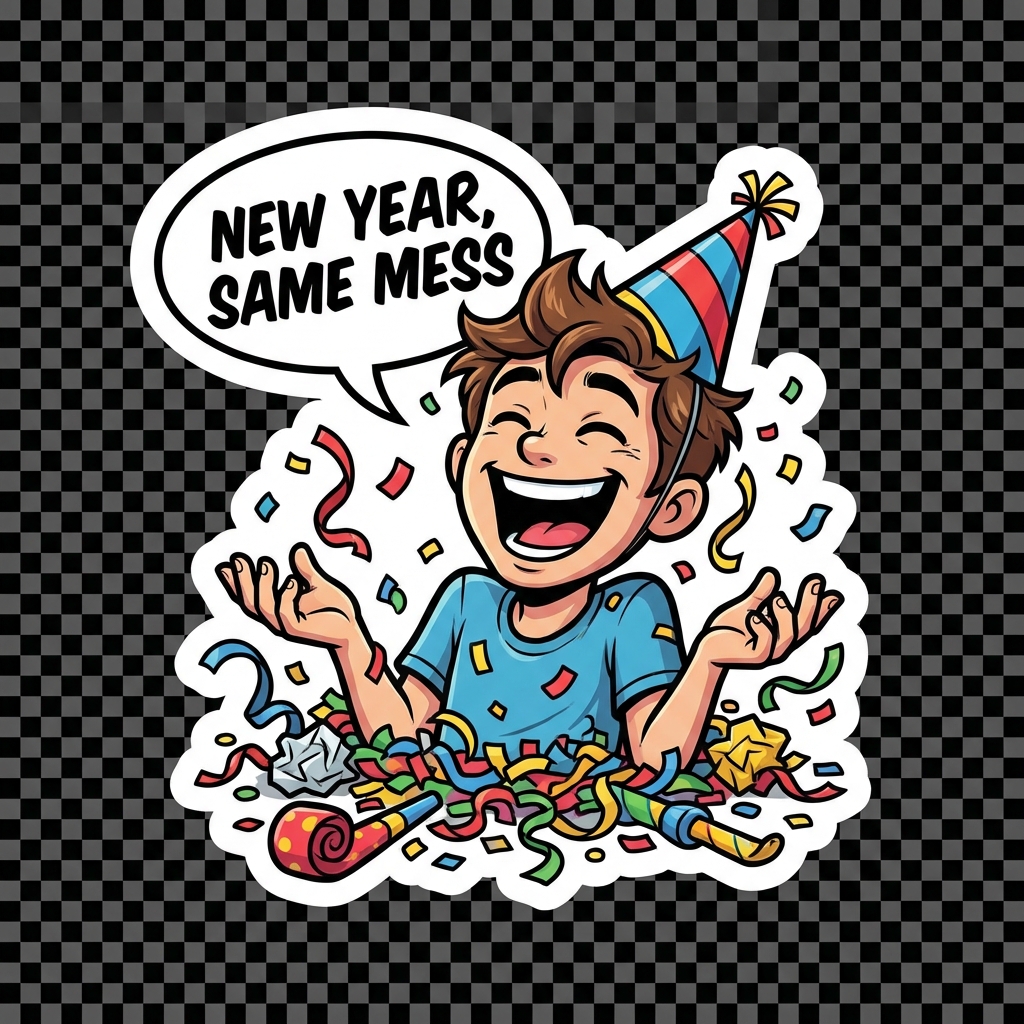
A real sticker made on MoodToonz from one festive mood — feeling picked, moment described, queue waited, gallery landed.

ACTUAL OUTPUT · ONE STICKER · YOUR CAST · YOUR WORDS
THE PRICE TAG / 料金
WHAT 1 CREDIT GETS YOU.
ONE STICKER
1 CREDIT
Charged per finished sticker — strips and pages have their own guide entries.
ON SIGNUP
10 CREDITS
Starter credits land on every new free account. No card needed.
TOP UP ANYTIME
PLANS
Regional pricing in INR and USD is shown in the app when you run low.
GOOD TO KNOW / ヒント
PRIVATE BY DEFAULT
Your gallery is yours — nothing goes public unless you share it yourself.
VOICE OR KEYBOARD
Story Input takes typed or spoken moments, whichever feels natural.
WORKS ANYWHERE
Phone or desktop browser — nothing to install.
MORE FROM THE GUIDE SHELF / 他のガイド
KEEP READING THE SHELF.
The same plain-spoken walkthrough for the rest of the lineup — strips, pages, stickers, avatars, and referrals.
- STRIP GUIDE ↗
MAKE A COMIC STRIP / 3コマ
Three panels from one honest moment.
- PAGE GUIDE ↗
MAKE A FULL COMIC PAGE / フルページ
A whole page of panels from one bigger story.
- AVATAR GUIDE ↗
CAST YOUR AVATARS / アバター
Add yourself, friends, and family so they can star in the panels.
- REFERRAL GUIDE ↗
INVITE FRIENDS / 紹介
Share MoodToonz with friends and earn bonus credits when they join.
READY WHEN YOU ARE / さあ始めよう
YOUR FIRST STICKER IS 1 CREDIT AWAY.
Sign in and make yours tonight — or create a free account and start with 10 starter credits on us.
MOODTOONZ.COM/LOGIN · 10 STARTER CREDITS · NO CARD NEEDED